Dock-Yard Management
Keep the yard moving.
Most yards still run on a whiteboard, a clipboard and a group chat. Dock-Yard Management replaces all three with one live picture of the facility — every door, every trailer, every truck on site — updated by the people already doing the work. Drivers check themselves in at a kiosk, jockeys update moves from a phone, and dispatch sees it happen without a radio call. It runs in a browser, so there is no terminal to buy and no rollout to schedule.
Dock-Yard Management is built by Panda The App. There is a product page for Dock-Yard Management on the studio site as well.
Try it before you talk to anyone
Sign in with the shared demo account — no form, no waiting on a reply.
test@admin.comadmin123A shared sandbox account — please do not enter real customer or load data.
Open the live demoWhat it looks like
What it does
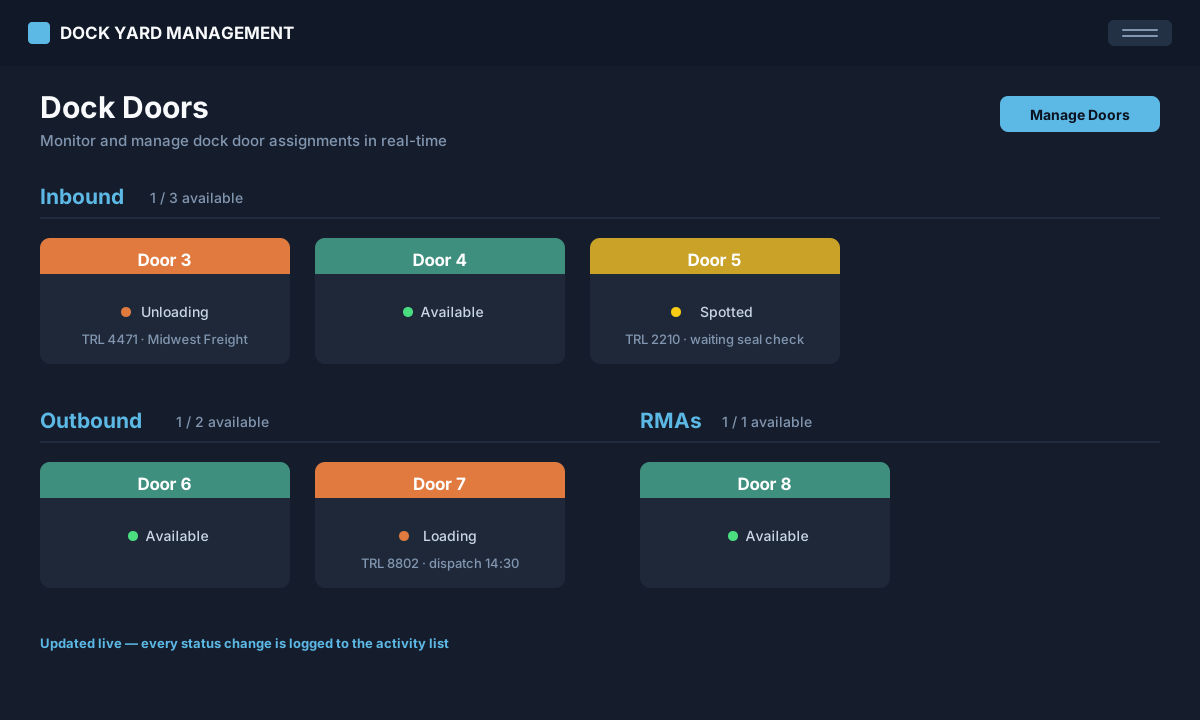
- Live dock door board — inbound, outbound, RMA and misc
- Driver self-service kiosk check-in, with door assignment
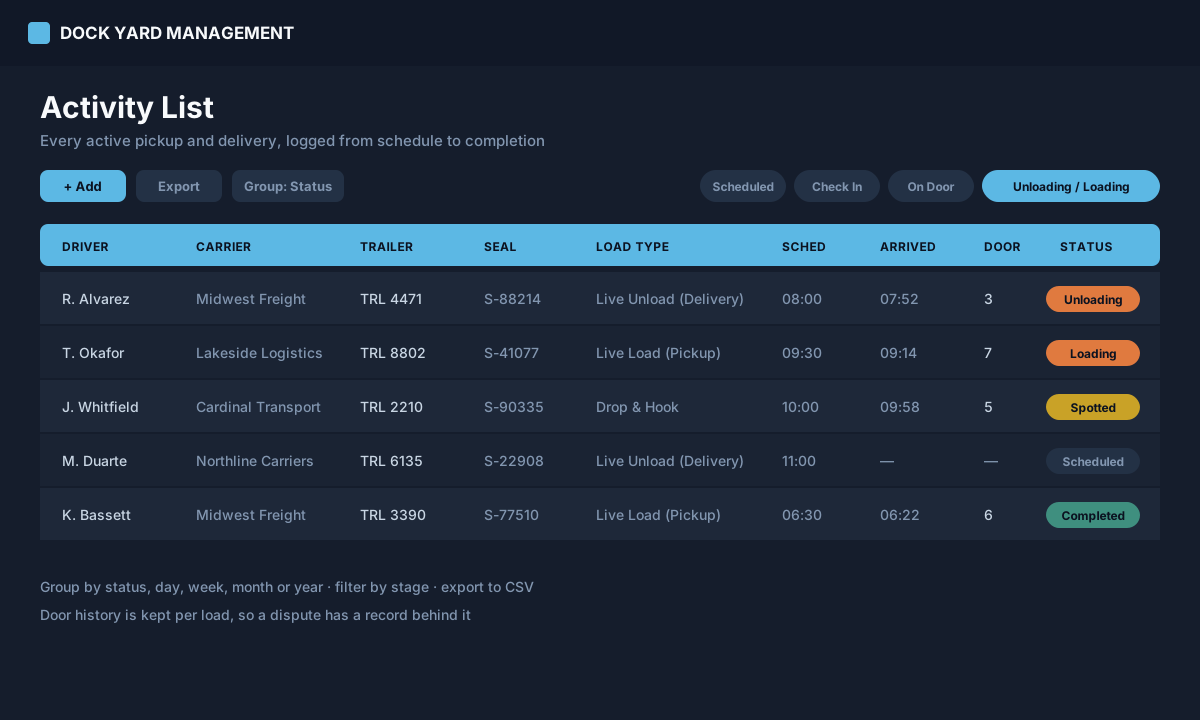
- Full pickup and delivery log, from scheduled to completed
- Yard spot and trailer inventory with audit and map views
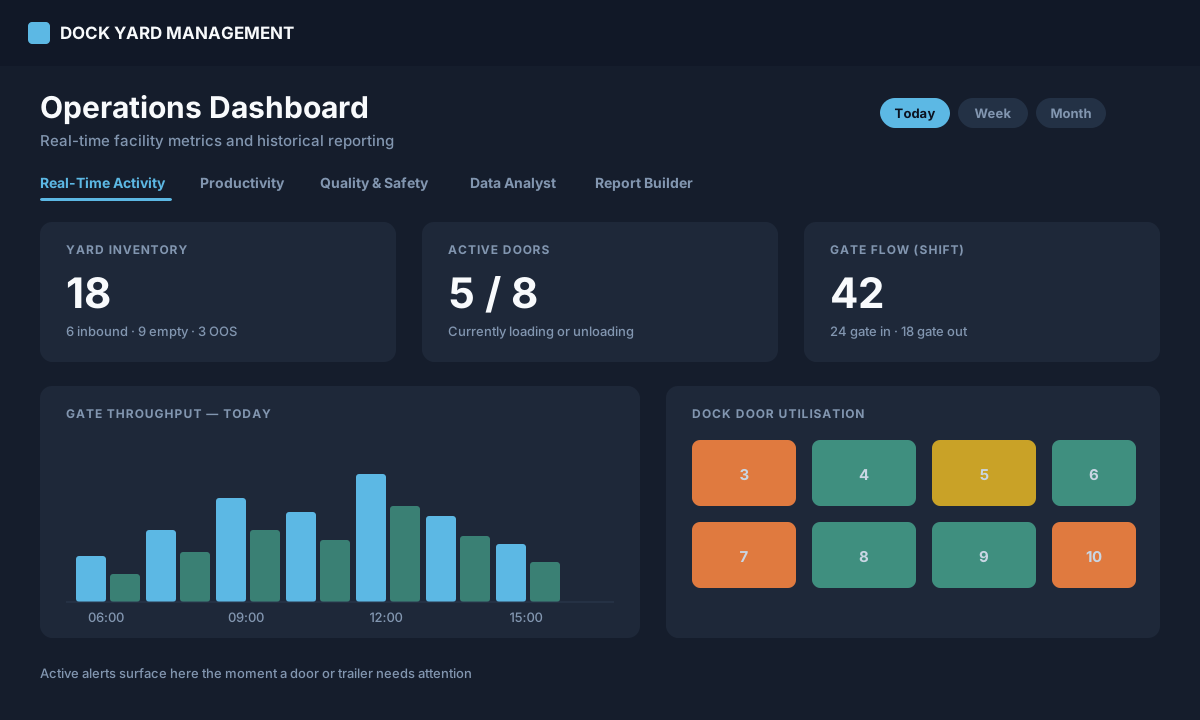
- Operations dashboard: gate flow, door utilisation, alerts
- Import a paper manifest by photo (OCR), CSV or Excel
- Built-in SOPs and training for drivers, jockeys and dock staff
- Runs in the browser on tablets and phones in the yard
Who it is for
- Warehouses running dock doors off a whiteboard today
- Small carriers and 3PLs priced out of an enterprise YMS
- Yard teams coordinating over radio, text, or memory
- Operations managers who need numbers, not anecdotes
Common questions
Can I try it before talking to anyone?
Yes — the demo credentials are on this page and sign you straight in. It is a shared sandbox, so treat anything in it as public and keep real customer and load data out.
What hardware do we need?
None beyond the tablets and phones your team already carries. It runs in a browser, installs to a home screen, and there is no terminal, scanner or dedicated device to buy.
Does it work without a connection?
The app opens without one, but live door and trailer status does not — that needs network coverage across the yard. If your site has dead zones, raise it with us before you commit rather than after.
How does a driver get a door?
They check themselves in at the gate kiosk with carrier, driver, trailer and load type. The system sets an initial yard status, dispatch assigns a dock door, and the driver is notified.
Can we import the paperwork we already have?
Inbound and outbound records import from CSV or Excel, and a paper manifest can be photographed and read in with OCR instead of retyped.
Is there a record if a load is disputed?
Yes. Every load keeps scheduled and arrival times, carrier, trailer and seal numbers, the door it worked, and its door history — so a disagreement about what happened has a record behind it.
How is it priced?
Per facility, after a conversation — a two-door operation and a twenty-door one are not the same product. Contact sales and you will get a straight answer rather than a quote form.